Best CMS for Game Developers: 4 Options Ranked
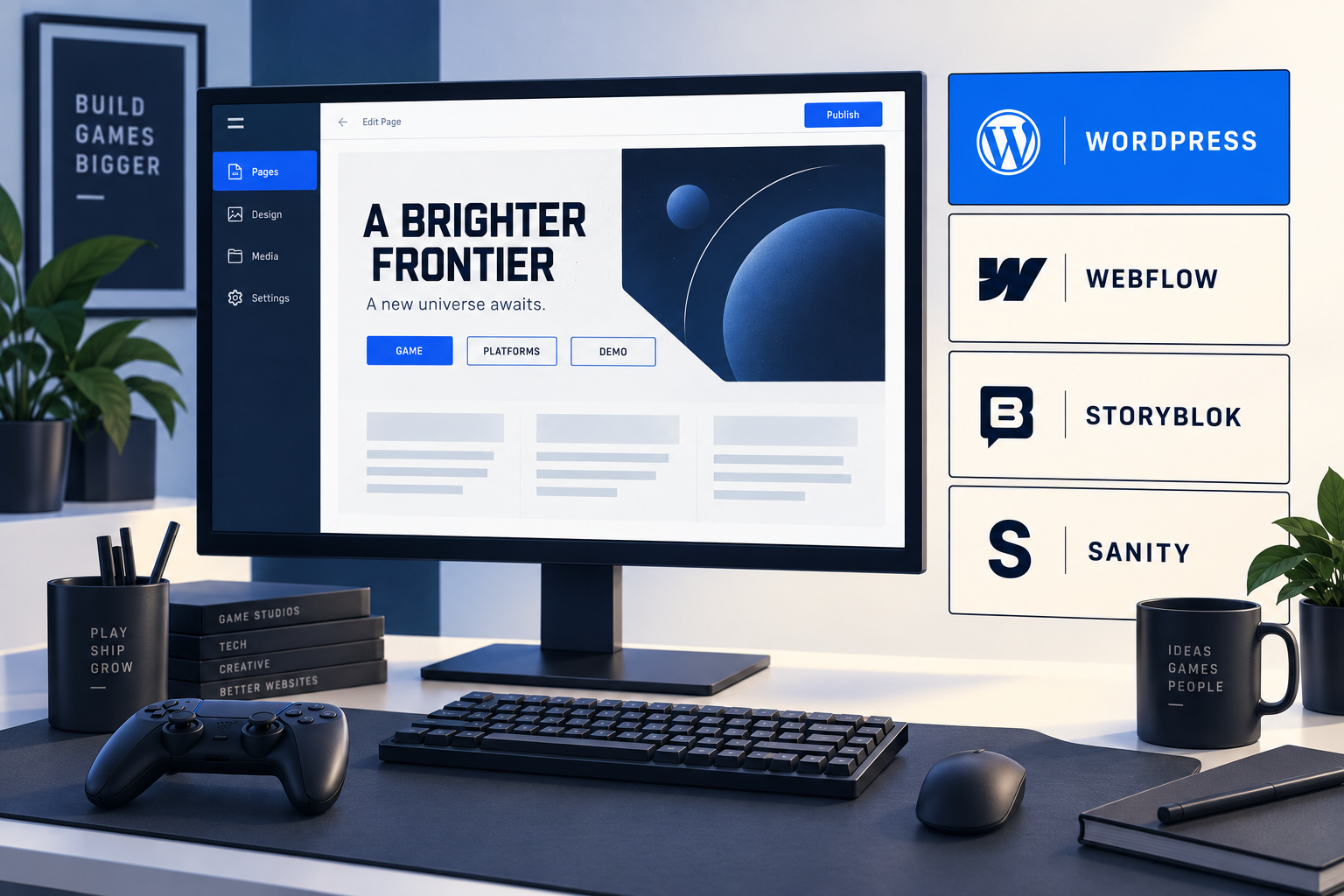
The best CMS for game developers running a PC or console marketing site is usually WordPress with reliable hosting and a well-built theme. It gives a studio control over game pages, news, press resources, and SEO fields while letting producers and marketers publish routine updates.
Our ranking assumes a small or midsize studio needs a public website with several page types and regular launch updates. A publisher distributing the same game data across many sites may put a headless CMS first.
Key takeaways
- WordPress ranks first for this studio brief. Its software license costs $0; hosting, maintenance, and implementation still need a budget.
- Webflow Premium starts at $25 per month billed yearly. It suits teams that want visual design and managed site hosting.
- Storyblok Growth lists 5 included seats and 2 locales. Sanity Growth lists $15 per seat per month. Both require a website implementation alongside the CMS.
- Test the rendered title, H1, description, and links before choosing a theme. The six-site review in our pillar found heading problems on recognizable game websites.
Which CMS should a game studio choose?
| Rank / CMS | Best fit | Main tradeoff |
|---|---|---|
| 1. WordPress | Editable game pages, press kits, support content, and studio news with hosting choice | Your team or provider must handle updates, backups, and plugin compatibility. |
| 2. Webflow | A designer-led marketing site with managed hosting | Moving a working CMS site away from Webflow requires more than a code export. |
| 3. Storyblok | A custom website whose editors need visual previews of reusable content blocks | The frontend, preview integration, and deployment still need engineering. |
| 4. Sanity | A technical publishing team building custom game-data models and integrations | Editors depend on the schemas and publishing interface your developers build. |
Link to this comparison. The ordering is Gridlok’s editorial recommendation for the brief above. It is based on documented capabilities and operating requirements, rather than measured search rankings or page-speed scores.
What do the published CMS plans cost?
The figures below separate software and subscription fees from the cost of running the site. USD prices were checked September 22, 2026. Taxes, add-ons, usage overages, and implementation are excluded.
| Option | Published fee | Annual calculation | What you still need to budget |
|---|---|---|---|
| WordPress.org software | $0 license fee | $0 for the software license | Hosting, domain, maintenance, development, and any paid extensions |
| Webflow Premium | $25/month, billed yearly | $25 × 12 = $300 | Domain, build work, and any paid localization, Workspace, or usage extras |
| Storyblok Growth | $90.75/month billed annually; $99 month-to-month | $90.75 × 12 = $1,089 on annual billing | Frontend build and hosting, plus extra seats, locales, or usage |
| Sanity Growth | $15 per seat/month | 3 paid seats × $15 × 12 = $540 | Frontend build and hosting, plus usage and optional add-ons |
These rows cover different products and billing units. The WordPress figure is a license cost; Webflow’s Site plan includes website hosting. The headless rows price a content service, with the public website built and hosted separately.
1. WordPress: best CMS for game developers who need site control
WordPress is our first choice when the studio needs to own its website and keep everyday publishing manageable. A producer can update a release date or press page through a configured editor, while a developer can change the theme and hosting setup when the site needs more work.
WordPress documents drafts, scheduled publishing, revisions, user management, media fields, and custom content types. Those give a developer the building blocks for a Game record with platform links, release status, trailers, and press assets.
Specify a small set of reusable templates and make the required SEO fields editable. A custom game-page template can output one descriptive H1 and use H2s for platforms, co-op details, demo information, and requirements.
Plan maintenance from the start. Assign responsibility for updates, backups, recovery, and plugin reviews. A managed host can take on some of that work; check the service agreement for exactly what it covers.
WordPress’s content export produces a WXR/XML file. Keep full backups of the database, uploads, themes, and plugins too. A content export alone will not restore the whole site.
2. Webflow: best for a designer-led studio site
Webflow is a strong choice when a designer will own the site and the studio wants hosting in the same service. Before committing, prototype the hardest game page and ask the person who will maintain it to change a trailer, a platform link, and the release status.
The current Premium plan includes 20,000 CMS items and 40 Collections, according to Webflow’s May 2026 plan update. Older comparisons quoting a separate $23 CMS plan are out of date for new purchases.
The main ownership tradeoff is documented in Webflow’s export guide. Code export requires a paid Workspace plan and leaves out CMS functionality and several hosted features. Collection data can be exported separately as CSV, but moving it to another system takes migration work.
3. Storyblok: best for visual editing on a custom frontend
Storyblok fits a studio that already has web engineering support and wants editors to assemble pages from defined components. Its Visual Editor needs a frontend integration, so include previews and publishing behavior in the build brief.
Growth includes 1 space, 5 seats, and 2 locales. Its published base price is $99 per month or $90.75 per month billed annually. Check the plan and add-on table against the number of people and languages your team actually needs.
Rank it above WordPress when a custom frontend is already a firm requirement and the team values visual component editing. Require a demonstration of localized page titles, headings, and URLs before signing off on the content model.
4. Sanity: best for a team with dedicated web developers
Sanity fits publishers that want to define reusable game data and connect it to custom websites or other services. The CMS becomes one part of the publishing system your engineers maintain.
Its Free plan lists up to 20 seats, 2 permission roles, and 2 public datasets. Growth costs $15 per seat per month and adds more roles and support for private datasets. Unannounced game material needs a permissions review before upload.
Sanity provides a dataset export tool. Retain the frontend code, schemas, and deployment instructions as part of the handoff. Exportable content still needs a working application to display it.
Choosing between WordPress and a custom CMS setup? Talk to Jim about your game catalog, editors, and launch schedule.
Where does Next.js fit for a game studio website?
Next.js suits a studio with web developers who want control over page layouts, interactive features, and integrations. It is a React framework. Pair it with WordPress, Storyblok, or Sanity for editing, or keep content in the codebase when a developer will maintain it.
The CMS ranking above covers publishing systems. Next.js can be the frontend for several of them. Budget for the CMS, hosting, preview setup, deployment, and the developer who will maintain those connections.
Check for an HTML shell before launch
A game website can look complete in a browser while its HTML contains little more than a loading screen and scripts. If the game description, platforms, and store links arrive only after browser JavaScript runs, access to those facts depends on successful JavaScript rendering.
Next.js supports server rendering and prerendering, including an HTML preview of Client Components on the initial page load. The use client directive alone does not make a page an empty shell. See the Next.js rendering documentation.
Risk appears when the main content is fetched only in the browser or server rendering is disabled for the component that holds it. Next.js documents ssr: false as a way to make a component client-only in its React app migration guide.
| Check | What a useful result looks like | What to investigate |
|---|---|---|
| Open the game URL directly | The game name, description, and platform links appear on a fresh visit. | Content appears only after navigating from another page. |
| Inspect the HTML response | The main game content is present as HTML elements. Inspect the full response and account for streaming. | Only a loading placeholder, scripts, or serialized data represents the main content. |
| Reload with JavaScript disabled | Core game facts and ordinary store links remain readable and usable. | The game page becomes blank or loses its main content. Review client-only dependencies and streamed content handling. |
| Inspect the URL in Search Console | Google’s rendered page contains the intended content and links; indexing controls match the publishing plan. | Missing content, failed resources, an incorrect canonical, or an indexing block. |
| Change a release date in the CMS | The public game page updates through a documented publish and cache-refresh process. | The editor publishes successfully but visitors still see the old date. |
Link to these rendering checks. Test the homepage, a game page, and a support page on the production deployment. Put the game name, descriptive H1, platform details, and store links in server-rendered or prerendered content. Add interactive galleries and filters around that content.
Gridlok’s Vibe Coding and SEO article covers the HTML-shell problem in more detail. Include unique titles, meta descriptions, canonical URLs, and readable slugs in the Next.js build brief alongside the rendering checks.
Which SEO basics should every CMS demonstration include?
Ask the vendor or developer to create one real game page, then inspect its rendered HTML. A field labelled “SEO title” is only useful if the template outputs it correctly. Run the same checks after changing the theme or page builder.
| Check | Ask the editor to do this | Verify on the rendered page |
|---|---|---|
| URL slug | Set a readable game-name slug | The intended URL loads; old URLs redirect after a move. |
| Title and description | Write unique metadata for the game | The browser title and meta description contain the approved text. |
| H1 and sections | Set the game name as the main heading | One clear H1; major content sections use H2s. Check logos and hidden headings too. |
| Images | Add descriptive screenshot alt text | The output image has the intended alt attribute. |
| Links | Add a related support page and a store destination | Both are crawlable links with clear labels and working destinations. |
| Publishing | Preview, publish, and roll back a test change | Previews stay private; approved public pages have no accidental indexing block. |
Our six-site heading audit found no rendered H1 on Balatro’s homepage and five H1s on Animal Well’s homepage. Those observations concern the pages we inspected; they do not establish which CMS caused the markup or how it affected traffic.
Use the game website SEO basics guide for a complete title, slug, H1, and description example. Put these checks into the development handoff so they remain part of the publishing process.
How this CMS ranking was made
We compared four documented CMS options for a studio marketing site. Priority goes to routine editing, control over rendered SEO fields, reusable game-page content, portability, and the work required to keep the system running. These priorities favor WordPress for the stated brief.
Vendor prices and limits are sourced above. Annual amounts are calculations from those prices; they are not quotes for a finished website. The W3Techs figures describe general web usage, not game-studio adoption.
The ranking uses published product documentation and the studio requirements above. Teams with dedicated web engineers or multi-site publishing needs may prefer a different order.
Need a WordPress site your studio can update?
Tell Jim how many games you publish, who updates the site, and which platform or release details change most often. We can discuss the templates, SEO controls, and maintenance your team needs.
Discuss your game studio’s WordPress site with JimFrequently asked questions
For Google’s guidance on heading counts and other common assumptions, see its SEO Starter Guide.
See what ChatGPT is really searching
SubSeed captures the hidden Google queries ChatGPT runs behind every answer and enriches them with search volume, CPC, and keyword difficulty.
Related Posts


Read this post with an assistant
This is the whole prompt each button sends. Nothing hidden in it.
Read https://gridlok.co/blog/best-cms-for-game-developers/ and give me the main points in a few sentences.
Make Gridlok a Preferred Source on Google
See Gridlok surfaced more often in your Top Stories, AI Overviews, and AI Mode. One click, applied across Google Search.