How Many Clicks Did It Take to Buy a Game?
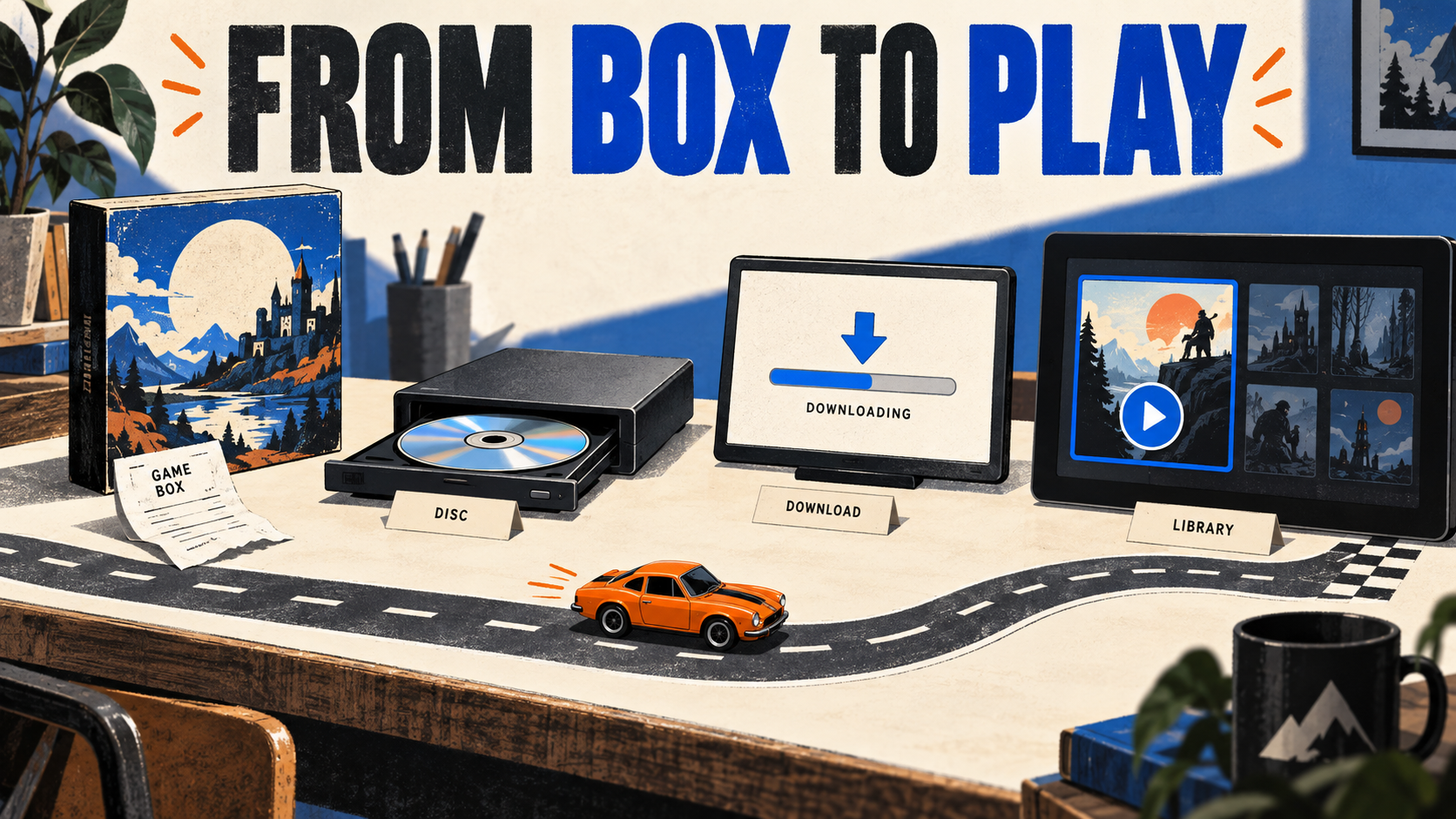
A boxed game could require a trip to the shop and a long installation without a single browser click. A digital purchase could take seconds, followed by a download that occupied the rest of the evening.
So how many clicks did it take to buy a game? The count depends on where you start, what you count, and when you decide the player has finished.
Follow the whole route from interest to play and the comparison gets more useful. The payment is one stage. Finding the right edition, getting the files, and launching successfully are others.
A purchase could happen far from the computer
A shop shelf put the game box, price, and nearby alternatives together. A player could compare packaging, check the stated requirements, and take the product home.
The route still contained friction: travel, availability, choosing an edition, and installation. Counting browser clicks would miss almost all of it.
Shareware split the route differently. DOOM’s 1995 documentation included a phone-order option and an order-form route for cases such as checks or international orders. The software package could introduce the game and explain how to buy more of it. id Software, DOOM v1.8 documentation, 1995, preserved copy.
Those instructions mattered after the original recommendation had disappeared. A player might receive the files from someone else and still need a reliable path back to the publisher.
| Route | Typical tasks | Where waiting can occur |
|---|---|---|
| Boxed retail | Find retailer → choose edition → buy → travel home → install → launch | Travel, stock availability, installation. |
| Shareware and direct order | Get sample → play → read order details → place order → receive full version → install | Transfer, payment processing, delivery. |
| Digital client | Find game → choose edition → sign in → pay → download → install → launch | Account recovery, transfer, installation. |
| Offline installer download | Buy → get installer files → run installer → launch | Transfer and installation. |
These are reconstructed task sequences. An existing account, a preinstalled client, a gift, or a different starting point can shorten or lengthen the route.
The download button could be the beginning of the wait
File sizes are usually written in bytes, while network rates are often written in bits per second. There are eight bits in a byte. Mixing the units makes a download look eight times faster before any real-world delays enter the calculation.
Using decimal units, 10 MB contains 80 million bits. Divide by 56,000 bits per second and the result is about 1,428.57 seconds, or 23 minutes 49 seconds.
That example assumes a constant rate and excludes overhead, interruptions, installation, and decompression. It is useful for comparing the arithmetic behind two file sizes or rates.
| File size | 56 kb/s | 100 Mb/s |
|---|---|---|
| 1 MB | 2 min 23 sec | 0.08 sec |
| 10 MB | 23 min 49 sec | 0.8 sec |
| 100 MB | 3 hr 58 min 6 sec | 8 sec |
| 1,000 MB (1 GB) | 39 hr 40 min 57 sec | 1 min 20 sec |
Both columns use file size × 8 ÷ transfer rate. The 100 Mb/s column is an illustrative comparison rate, not a historical average.
Try the download-time calculator
How long would the transfer take?
Theoretical transfer: 23 minutes 49 seconds.
Decimal units: 1 MB = 1,000,000 bytes. Time = MB × 8,000 ÷ kb/s. Constant rate; excludes overhead and installation.
Change the file size while keeping the rate fixed. A file twice as large takes twice as long in this model. Then keep the file fixed and change the rate.
For a developer, the relevant question is what the player must download before doing something useful. A trailer, a demo, and a full game each have different sizes and different purposes.
Give a demo download a visible file size and platform label. Explain whether an account or client is required. If the next step will take time, let the player know before they begin.
The calculator is also a reminder to distinguish downloading from installing. A progress indicator can reach the end of one stage while the machine still has work to do.
Ask Jim to check your game website’s route to the correct store page.
The client kept more of the route in one place
Valve’s twentieth-anniversary retrospective marks Steam’s 2003 beginning. Its current product environment connects browsing, purchase, a library, installation, and launching. Valve, Steam twentieth-anniversary retrospective, 2023.
Half-Life 2’s store page records a November 16, 2004 release date. It provides a useful dated product reference when examining the early period of Valve’s client-based distribution. Valve, Half-Life 2 store page and release date.
Another model is the offline installer. GOG’s developer documentation describes generating and publishing those installers alongside game builds. It also notes that an installer can take time to appear after a build is published. GOG, offline installer documentation.
That distinction belongs in a release checklist. A developer pressing a publish control and a customer seeing the corresponding downloadable package are separate events.
For a studio website linking to several stores, label the platform and destination. Keep editions clear. A player should be able to tell whether the button leads to a purchase page, a client download, or the game itself.
Count your own clicks, then look at what made them difficult
Count a route you can actually test
Start on your game’s homepage in a signed-out browser. Stop at the relevant store’s product page. Count clicks or taps and unclear decisions separately. Record payment and installation in a separate test.
Your test: 3 clicks or taps and 1 unclear decision. Review the unclear destination first.
Your entries stay on this page. This is a record of your test, not a conversion score.
A click count becomes useful when the test has a fixed start and finish. Keep the device, sign-in state, platform, and edition the same between comparisons.
Record unclear choices as well as clicks. A single unlabeled icon can create more uncertainty than two clearly named links. Watch whether the visitor knows what will happen next.
On the game page, keep the title, H1, platform labels, and store links consistent. A search visitor may arrive directly, so the page should explain the game without depending on an earlier trailer or homepage animation.
Repeat the test after a redesign or release-day update. Check whether the visitor reaches the correct destination with fewer wrong turns, then fix the next confusing choice.
Sources and calculations
The task sequences are illustrative reconstructions based on the distribution methods described. Download times use decimal units and a constant rate, rounded for display. The purchase-path tool records user-entered observations locally in the page and sends no results to a server.
Are players getting lost between your website and the store?
Send Jim the game page and the platform you want visitors to reach. We can review the buttons, editions, and steps in that route.
Ask Jim to check the path to purchaseFrequently asked questions
A physical purchase may involve no browser clicks while still taking substantial time and effort. Compare complete tasks and define the start and finish.
Convert the file size to bits, then divide by bits per second. The calculator uses decimal MB and kb/s and assumes a constant rate.
The calculation excludes overhead, connection changes, server limits, interruptions, and installation work. It describes an ideal transfer at the selected constant rate.
Test the route to the correct platform and edition. Record clicks, wrong turns, unclear destinations, and whether the person reaches the intended store page.
Keep reading
References
See what ChatGPT is really searching
SubSeed captures the hidden Google queries ChatGPT runs behind every answer and enriches them with search volume, CPC, and keyword difficulty.
Related Posts
Read this post with an assistant
This is the whole prompt each button sends. Nothing hidden in it.
Read https://gridlok.co/blog/buying-pc-games-history/ and give me the main points in a few sentences.
Make Gridlok a Preferred Source on Google
See Gridlok surfaced more often in your Top Stories, AI Overviews, and AI Mode. One click, applied across Google Search.