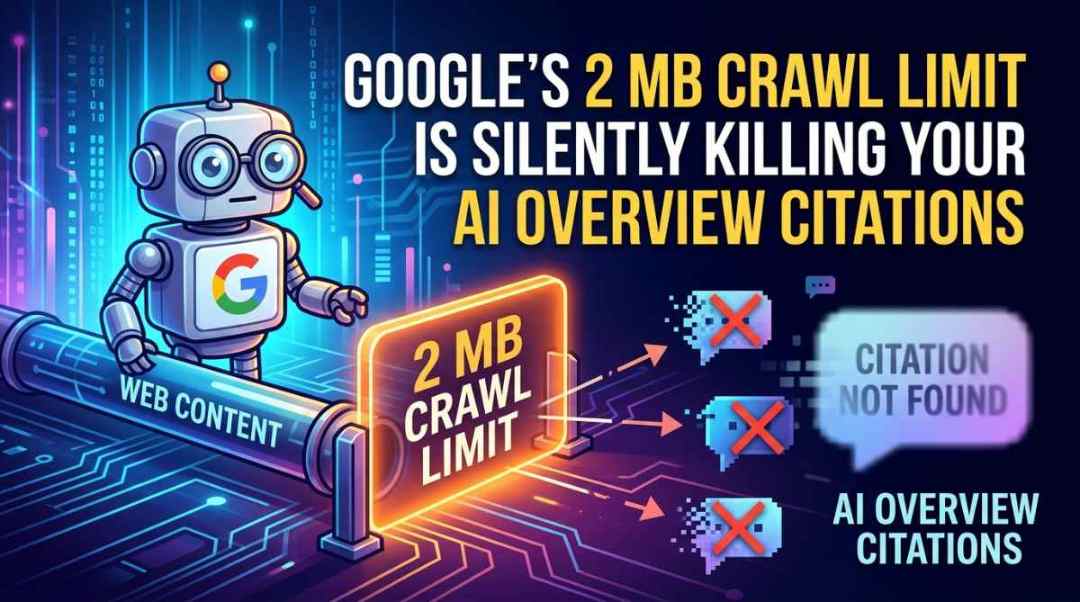
Google’s 2 MB Crawl Limit Is Silently Killing Your AI Overview Citations
Key Takeaways
- Google Search crawls only the first 2 MB of your HTML. Everything past that cutoff is silently dropped before indexing, with no warning in Search Console.
- FAQ sections and their schema markup almost always sit at the bottom of the DOM. On bloated pages, this content gets truncated before the crawler reaches it.
- Pages with FAQ schema are 3.2x more likely to appear in Google AI Overviews. But if that schema gets cut off during crawling, the page loses its citation eligibility entirely.
- Gary Illyes hinted that time-sensitive indexing features could use a 1 MB limit. AI Overviews are exactly the kind of feature where speed and tight byte budgets matter.
The 2 MB Crawl Limit Creates a Hidden AEO Problem
A little hyperbole, I know. Google’s 2 MB HTML crawl limit has been widely covered as a technical SEO concern since the documentation update in February 2026. Most of the coverage tells you the same thing: don’t panic, the median HTML page is around 30 KB, and only 0.82% of pages exceed the threshold.
That framing misses the real problem.
The 2 MB crawl limit doesn’t just affect whether a page gets indexed. It affects which parts of the page get indexed. And for answer engine optimization, the part that gets cut off is usually the part that matters most: your FAQ content.
How Google’s Crawl Truncation Actually Works
When Googlebot fetches an HTML page for Google Search, it reads bytes sequentially from the server. When it hits 2 MB of uncompressed HTML, it stops.
The connection doesn’t error out. The page still shows “URL is on Google” in Search Console. But everything past the 2 MB mark is gone.
Spotibo tested this directly with a 3 MB HTML file and confirmed that content was cut mid-word at approximately 2 MB. No warning, no error, no indication in Search Console that anything was missing.
There’s an extra layer of misdirection here. The URL Inspection tool in Search Console doesn’t use Googlebot. It uses the Google-InspectionTool crawler, which still operates under the old 15 MB limit. So a live test in Search Console can show your full page while the actual indexed version is truncated.
Gary Illyes confirmed on Search Off the Record episode 105 that the 2 MB override is specific to Google Search. He also hinted that for time-sensitive indexing, the limit could theoretically drop to 1 MB because “it’s easier to deal with little data.”
Where FAQ Content Sits in Your HTML
Think about how most pages are built. The FAQ section is at the bottom. It sits below the hero, below the main content, below CTAs, below testimonials, below related products or posts.
The FAQ schema markup, whether it’s inline JSON-LD or microdata, is typically injected near the closing body tag. CaptainDNS flagged this specifically: “JSON-LD at the bottom of the page may get cut off” when pages exceed the crawl limit.
On a page with clean, lightweight HTML, this is a non-issue. A 50 KB page has 1,950 KB of headroom before the cutoff.
But pages get heavy fast when you factor in inline CSS from CSS-in-JS libraries, serialized JSON payloads from frameworks like Next.js (the __NEXT_DATA__ script tag alone can push 500 KB+), base64-encoded images or SVGs embedded in the markup, and large product catalogs rendered server-side.
A page doesn’t need to be obviously broken to have this problem. It just needs to be heavy enough that the crawler runs out of budget before reaching the bottom.
Why This Matters More for AI Overviews Than Traditional Search
Traditional Google Search can index a truncated page and still rank it based on the content it did capture. The title, the H1, the first few sections of body content. A page missing its FAQ section can still rank for its primary keyword.
AI Overviews work differently. They synthesize answers by pulling specific, structured, citable content from indexed pages.
Frase’s research found that pages with FAQ schema are 3.2x more likely to appear in Google AI Overviews compared to pages without it. That 3.2x advantage disappears if the FAQ schema never makes it into the index.
A page can rank on page one of traditional results, pass every standard SEO audit, have perfect FAQ schema markup, and still be completely invisible to AI Overviews because the crawler hit its byte budget before reaching the FAQ section.
If Google does use a tighter 1 MB budget for AI Overview content assembly, the cutoff point moves even higher up the page. Your FAQ content at byte position 1.3 MB on a 1.5 MB page might get indexed for traditional search but skipped entirely when Google is pulling content for an AI Overview.
A Page Can Be Indexed but Invisible to AI Citation
This is the gap that nobody in the AEO space is talking about. Every guide on getting cited by AI assumes crawlability is binary: either Google can see your page or it can’t.
The reality is that crawlability is a spectrum. Google might see your page’s title, headings, and first 1,500 words but never see the FAQ section.
The page is indexed. It ranks. But the most citable content, the structured question-and-answer pairs that AI Overviews are specifically designed to extract, was silently amputated during crawling.
Only 12.4% of websites implement Schema.org markup at all. Among those that do, the ones using FAQ schema have a real competitive advantage for AI citations. But that advantage only works if the markup actually reaches Google’s indexing pipeline.
Not sure if your pages are at risk? Send me a URL and I’ll check where your FAQ content sits relative to the crawl limit.
How to Audit Your Pages for This Problem
This is a straightforward check you can run right now.
Check Your HTML Size
Open Chrome DevTools, go to the Network tab, reload the page, filter by “Doc,” and look at the “Size” column for the initial HTML document response. Or run curl -s URL | wc -c from the terminal.
Under 500 KB, you’re fine. Between 500 KB and 1 MB, check where your FAQ content sits in the document order. Over 1 MB, you have a real risk of truncation affecting AI citation eligibility.
Find Your FAQ Content’s Byte Position
View the page source and search for your FAQ section or JSON-LD FAQ schema. Note its position relative to the total file. If it’s in the bottom 20% of a page that’s anywhere near the limit, it’s in the danger zone.
Don’t Trust the URL Inspection Tool
The live test in Search Console uses a different crawler with a 15 MB limit. It will show your full page even if the actual Googlebot crawl truncated it. Compare what’s in the “View Crawled Page” output against your actual source to see if content was cut.
Check for Framework Bloat
If you’re running Next.js, React, or another framework with server-side rendering, look for the hydration payload. In Next.js, search the source for __NEXT_DATA__ and check how large that JSON blob is. This single element can consume a significant chunk of your 2 MB budget before any visible content is even rendered.
How to Fix It
The fixes are practical and don’t require a site rebuild.
Move FAQ markup higher in the DOM. If your FAQ section is critical for AI citation (and it is), move it up in the document order. CSS lets you position it anywhere on the screen regardless of where it sits in the HTML. The crawler doesn’t care about visual layout. It cares about byte position.
Externalize CSS and JavaScript. Inline styles and scripts eat into your 2 MB HTML budget. External files get their own separate budget. Moving CSS and JS to external files is one of the simplest ways to free up space for actual content.
Trim hydration payloads. If you’re using a framework like Next.js, audit what data is being serialized into the HTML. Only include what’s needed for initial render. Defer everything else to client-side fetches.
Break heavy pages into lighter ones. If a page genuinely needs to be content-heavy, consider putting your FAQ content on its own dedicated page where it sits at the top of a lightweight document. A standalone FAQ page at 30 KB has zero risk of truncation and maximum visibility to AI citation systems.
Want help running this audit on your site? Get in touch and I’ll check your key pages against the crawl limit.
The Bigger Picture for AEO Strategy
The SEO industry has spent months treating the 2 MB limit as a “don’t panic” story. For traditional search rankings, that’s fair. Most pages are small. Most sites won’t notice.
But AI search citation is a different game. The content that gets you cited by AI Overviews, ChatGPT, and Perplexity is structured, concise, and question-and-answer formatted. It’s exactly the content that lives at the bottom of most pages.
If AI search is doubling year over year, and FAQ schema gives you a 3.2x citation advantage, and those FAQ sections are getting silently cut off by a crawl limit that nobody warned you about, then page weight is an AEO visibility issue, not just a technical SEO checkbox.
The pages that win AI citations in 2026 won’t just have the right content and the right schema. They’ll have that content positioned where Google’s crawlers can actually reach it.
Frequently Asked Questions
Does Google warn you when page content is truncated at the 2 MB limit?
No. There is no warning in Google Search Console. The page will show as indexed with no errors.
The URL Inspection tool won’t catch it either, because it uses a different crawler with a 15 MB limit. The only way to detect truncation is to compare the indexed content against your actual source HTML.
Can a page rank in traditional search but be invisible to AI Overviews?
Yes. If the top portion of your HTML contains enough keyword-relevant content to rank in traditional results, but the FAQ section and its schema get truncated, the page can hold its position in organic search while being completely ineligible for AI Overview citation.
How do I check my HTML page size?
In Chrome DevTools, open the Network tab, reload the page, filter by “Doc,” and check the “Size” column for the HTML document. You can also run curl -s your-url | wc -c from the terminal.
Pages under 500 KB have no risk. Between 500 KB and 1 MB, check where your FAQ content sits. Over 1 MB, take action. Run a free audit to check your pages now.
Should I move my FAQ schema to the top of the HTML?
If your pages are anywhere near the crawl limit, yes. The crawler reads bytes in document order. Moving your FAQ JSON-LD higher in the HTML means it gets processed before the byte budget runs out.
You can use CSS to keep the FAQ visually positioned at the bottom of the page while keeping the markup near the top of the source. The crawler doesn’t care about visual layout. It cares about byte position.
See what ChatGPT is really searching
SubSeed captures the hidden Google queries ChatGPT runs behind every answer and enriches them with search volume, CPC, and keyword difficulty.
Related Posts



Read this post with an assistant
This is the whole prompt each button sends. Nothing hidden in it.
Read https://gridlok.co/blog/googles-2-mb-crawl-limit-is-silently-killing-your-ai-overview-citations/ and give me the main points in a few sentences.
Make Gridlok a Preferred Source on Google
See Gridlok surfaced more often in your Top Stories, AI Overviews, and AI Mode. One click, applied across Google Search.