How to See Your Lighthouse Agentic Browsing Score (It’s Not in PageSpeed Insights)
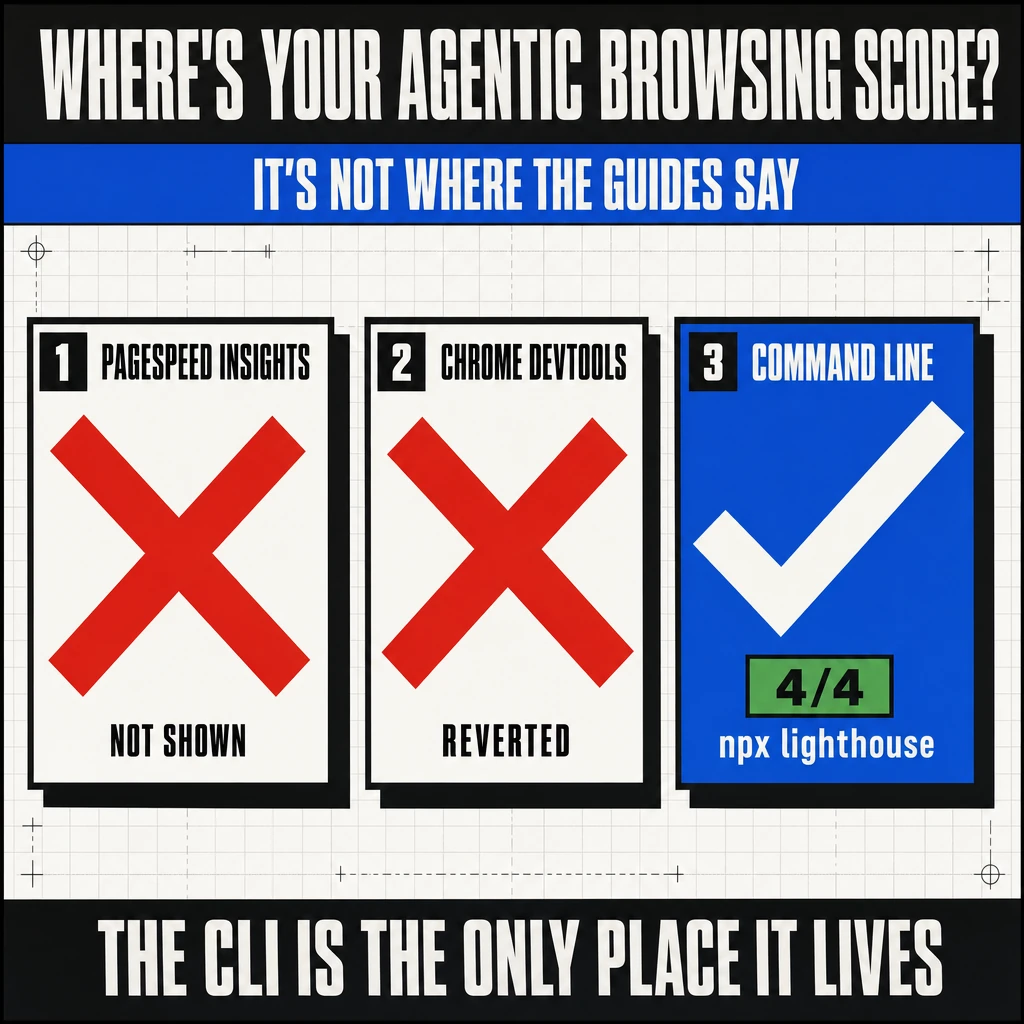
Chrome added an “Agentic Browsing” score to Lighthouse. You went to check yours, opened PageSpeed Insights or Chrome DevTools, and it was not there.
You are not missing a setting. The score genuinely does not appear in the two tools most people use. Every guide currently telling you to “open PageSpeed Insights and check the Agentic Browsing category” is wrong.
I went down this hole on my own site, traced it through the Lighthouse source code, and got gridlok.co from a 2/2 to a 4/4. Here is exactly how to see your score, why it is hidden where it is, and how the number is actually calculated.
Key Takeaways
- The Agentic Browsing category shipped in Lighthouse 13.3.0 (May 7, 2026), but only in the command-line engine. It is not in PageSpeed Insights, and the Chrome DevTools integration was reverted twice the same week (PRs #17003 and #17004).
- The only way to see the score today is the Lighthouse CLI:
npx lighthouse@latest YOUR-URL --view. - The score is a pass ratio (passed over applicable), not a 0-100 score. Not-applicable and informative audits drop out of the denominator, which is why you might see 2/2, 3/3, or 4/4.
- The two WebMCP audits that count only become applicable on Chrome 149+ (or Canary) with WebMCP flags enabled. On a normal stable Chrome they are N/A, so a stable run caps at 3/3.
- llms.txt and the accessibility and layout audits are fully in your control on any browser. WebMCP requires both a registered tool on your site and a WebMCP-capable browser to run the audit.
Why It’s Not in PageSpeed Insights or DevTools
The category exists. It just is not where the guides say it is. The reason is in the Lighthouse release history, which is public.
The Agentic Browsing category was added to the Lighthouse default config on May 6, 2026 (PR #17002) and shipped in version 13.3.0 the next day. The default config is what the command-line tool uses, so the CLI got it immediately.
A separate PR (#16998) wired the category into the Chrome DevTools Lighthouse panel. It was reverted twice: PR #17003 on May 6 and PR #17004 on May 7. As of now, that revert still stands. There is no re-land in the repository.
PageSpeed Insights runs its own hosted Lighthouse version on its own schedule, and its interface has to be updated separately to render a new category. It has not been. So PageSpeed Insights does not show Agentic Browsing either.
The audit lives in the command-line engine. The two surfaces most practitioners actually use, DevTools and PageSpeed Insights, do not show it. The guides telling you to check there were written from the announcement, not from running it.
What You Actually Need
Two things, depending on how far you want to go.
- For the accessibility, layout, and llms.txt audits (up to 3/3): any recent Chrome and Node.js installed. The Lighthouse CLI runs through
npx, no install required. - For the WebMCP audits (the full 4/4): Chrome 149+ or Chrome Canary, because WebMCP is gated behind
chrome://flags/#enable-webmcp-testingand does not exist in earlier builds. My stable Chrome was 148 and could not see the WebMCP audits at all.
Check your Chrome version at chrome://version. If it is below 149 and you want the WebMCP audits, install Chrome Canary. It runs side by side with your normal Chrome and does not touch your main profile.
The Exact Command
Copy, paste, run. The first command works on any Chrome and gets you the three browser-independent audits. The second points Lighthouse at Canary with WebMCP enabled for the full score.
The CHROME_PATH line is the whole trick for the full score. It tells Lighthouse to use Canary instead of your default Chrome. Without it, the CLI grabs your stable build and the WebMCP audits stay N/A.
How the Score Is Actually Calculated
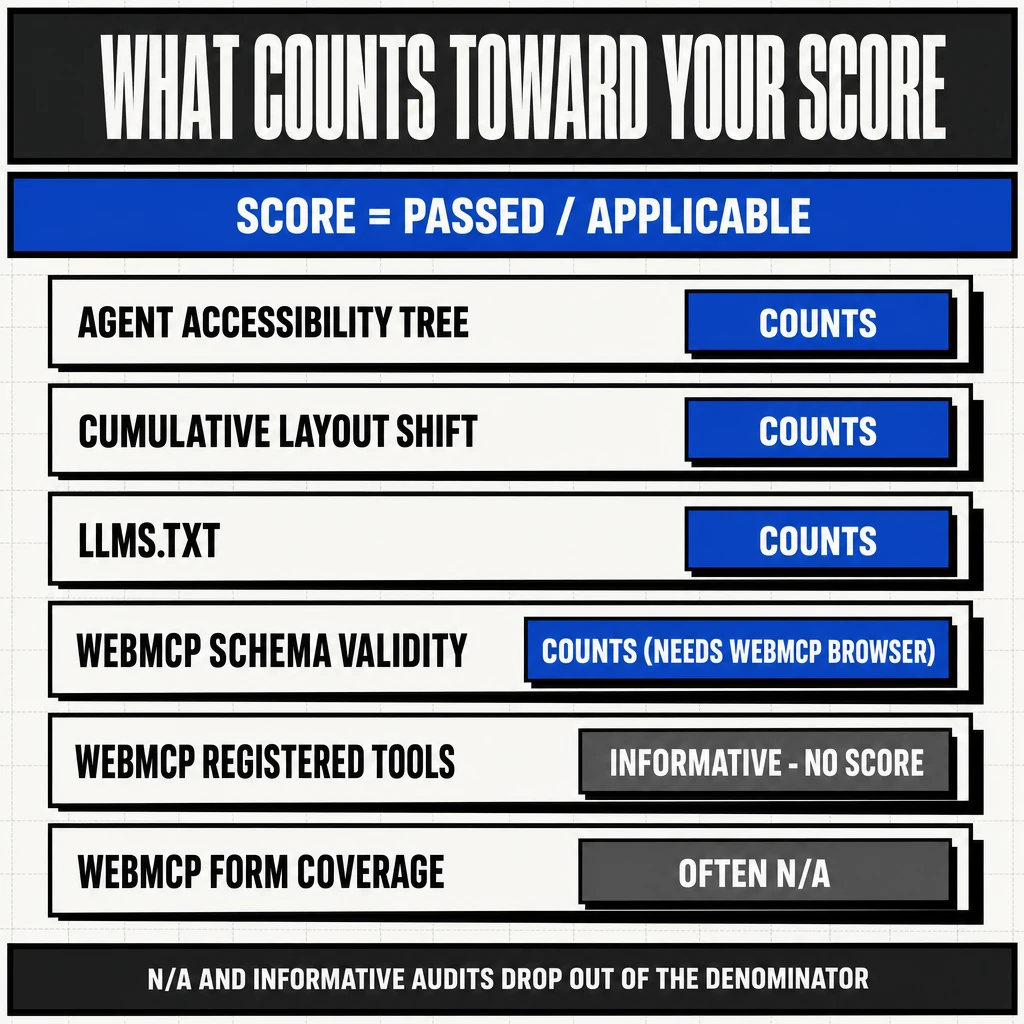
The fractional score confuses people. It is not “out of 4.” It is passed over applicable.
The category has six audits. An audit only counts toward your ratio if it is both scored (pass or fail) and applicable to your page. Two kinds of audits drop out of the denominator entirely:
- Not Applicable (N/A): the audit cannot run. WebMCP audits are N/A on a browser without WebMCP. The llms.txt audit is N/A if the file returns a 404.
- Informative: the audit reports information but is never scored.
webmcp-registered-toolsis informative. It lists your tools but does not move the ratio.
So the denominator changes based on your site and your browser. That is why a content blog on stable Chrome shows 2/2 or 3/3 while a site with WebMCP, audited on Canary, shows 4/4. Both are “100% of what applies.” The bigger number just means more audits were applicable.
The Six Audits and How to Pass Each
| Audit | Counts? | How to pass |
|---|---|---|
| agent-accessibility-tree | Yes | Semantic HTML, valid ARIA, programmatic names on interactive elements. Same work as a good accessibility score. |
| cumulative-layout-shift | Yes | Keep CLS under 0.1. Reserve space for images, ads, and embeds. Already a Core Web Vital. |
| llms-txt | Yes | Serve /llms.txt at HTTP 200 with markdown containing at least one H1, at least one link, and 50+ characters. |
| webmcp-schema-validity | Yes | Register a WebMCP tool with a valid JSON Schema inputSchema. Needs a WebMCP browser to evaluate. |
| webmcp-registered-tools | No (informative) | Register tools via document.modelContext.registerTool. Lists them but does not score. |
| webmcp-form-coverage | Often N/A | Expose forms as declarative WebMCP tools. Stays N/A if no forms are annotated. |
The llms.txt audit logic is worth knowing precisely, because the source code is stricter than “just have a file.” It fails on a server error, returns N/A on a 404, and only passes a 200 if the content has an H1 header, contains a link, and is at least 50 characters long.
The WebMCP tool registration uses the imperative API. A minimal valid tool looks like this:
document.modelContext.registerTool({
  name: "search_articles",
  description: "Search articles by keyword.",
  inputSchema: {
    type: "object",
    properties: { query: { type: "string" } },
    required: ["query"]
  },
  async execute({ query }) {
    return { content: [{ type: "text", text: "Results for " + query }] };
  }
});
Guard it with a feature check (if (document.modelContext) { ... }) so it is a harmless no-op on browsers without WebMCP, which is every browser most of your visitors use today.
My Real Results: 2/2 to 4/4
I ran this on gridlok.co and watched the number move as I changed things. The progression makes the scoring concrete.
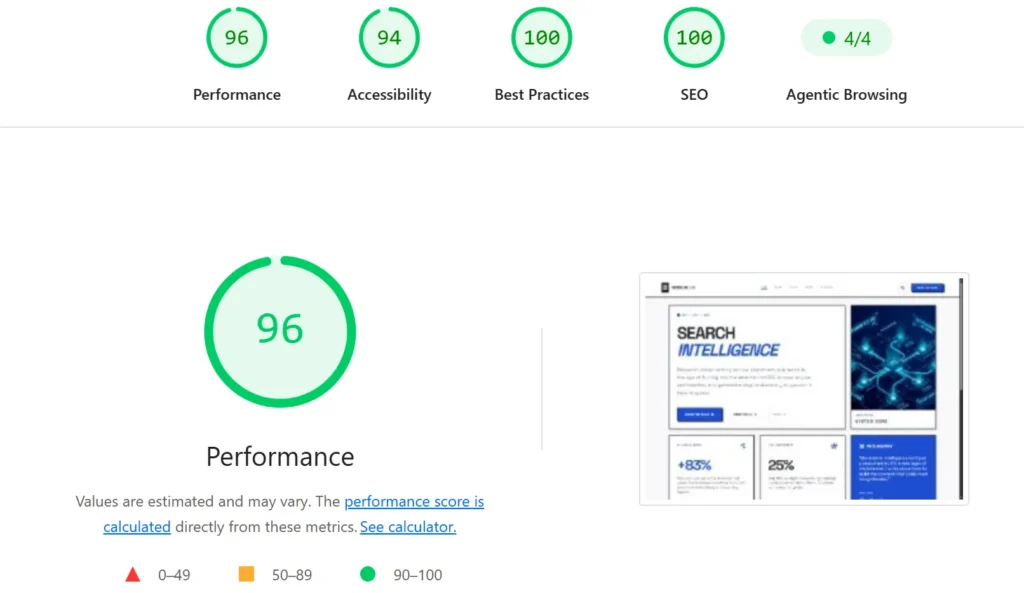
- 2/2 (starting point, stable Chrome). Passing the accessibility tree and layout audits. No llms.txt, so that was N/A. No WebMCP browser, so all three WebMCP audits were N/A. Two applicable, two passing.
- 3/3 (after adding llms.txt). I added a real llms.txt at the domain root with an H1, a summary, and links to key pages. The audit flipped from N/A to passing. Three applicable, three passing.
- 4/4 (after registering WebMCP tools, run on Canary). I registered two tools with valid schemas and re-ran the audit on Chrome Canary with the WebMCP flags. The schema-validity audit became applicable and passed, the registered-tools audit detected both tools, and the score hit 4/4.
The jump from 2/2 to 3/3 took ten minutes and works for everyone. The jump to 4/4 needed a WebMCP-capable browser to even register the audits, which is the part no current guide mentions.
Should You Even Chase 4/4?
Honest answer: the 4/4 is partly a property of the browser you tested with, not just your site. On a normal visitor’s stable Chrome, the WebMCP audits do not even apply, so your real-world “score” is the 3/3.
The whole category is also still labeled experimental in Google’s documentation, and the DevTools team reverted its own integration twice. This is not a settled ranking signal. It is a data-gathering tool for an emerging standard.
What I would actually do: get the 3/3, because those audits (accessibility, layout, a clean llms.txt) are cheap and useful regardless. Add WebMCP tools only if your site has real actions worth exposing to an agent. Skip the performative 4/4 chase unless you want the screenshot. I went to 4/4 to document the process, not because it changes anything for visitors today.
I made the broader version of that argument in AEO Is Just SEO With New Acronyms: most “agentic readiness” is existing web hygiene with a new label.
FAQ
Sources & References
- Chrome for Developers. “Lighthouse agentic browsing scoring.” 2026. developer.chrome.com
- Chrome for Developers. “llms.txt | Lighthouse.” 2026. developer.chrome.com
- Chrome for Developers. “WebMCP.” 2026. developer.chrome.com
- GoogleChrome/lighthouse. PR #17002 “add agentic browsing category to default config”; PRs #17003 and #17004 reverting the DevTools integration; v13.3.0 release (May 7, 2026). github.com
- WebMachineLearning. “WebMCP explainer.” github.com
- llms.txt specification. llmstxt.org
- Hunt, Jim. “AEO Is Just SEO With New Acronyms.” Gridlok, May 2026. gridlok.co
See what ChatGPT is really searching
SubSeed captures the hidden Google queries ChatGPT runs behind every answer and enriches them with search volume, CPC, and keyword difficulty.
Related Posts
Read this post with an assistant
This is the whole prompt each button sends. Nothing hidden in it.
Read https://gridlok.co/blog/see-lighthouse-agentic-browsing-score/ and give me the main points in a few sentences.
Make Gridlok a Preferred Source on Google
See Gridlok surfaced more often in your Top Stories, AI Overviews, and AI Mode. One click, applied across Google Search.